
Sometimes you can’t avoid getting caught in an uncomfortable or unsafe situation. With TexScape by CoachWare AI, you now have an exit plan available on demand. Don’t wait for a friend to send you a fake emergency text, get one when you need it quickly with an easy-to-use app!
TexScape is a CoachWare AI tool that send you SMS reminders and alerts only when you tap “Send me a Text” in the app.
No bulk messaging. No third-party recipients.
How it works
Open the TexScape app
Enter your own mobile number and the message you want to receive.
Choose how to trigger it: Select a delay and tap “Schedule My TexScape” (it’ll update to show your chosen time, like “Schedule My 15-Minute TexScape”), or long-press “Send Panic TexScape” for a faster alert sent about one minute after you trigger it. These are two separate paths, not something you combine with each other.
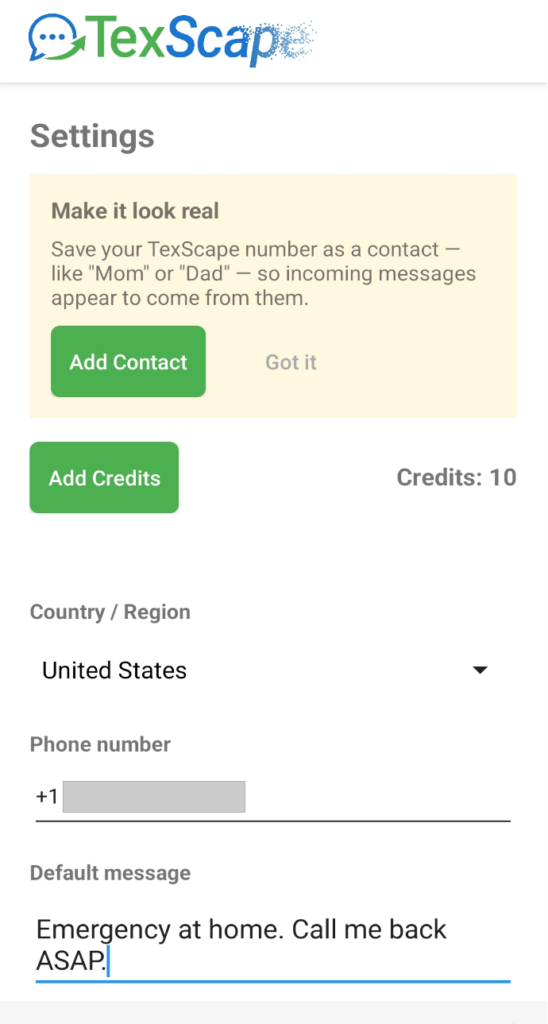
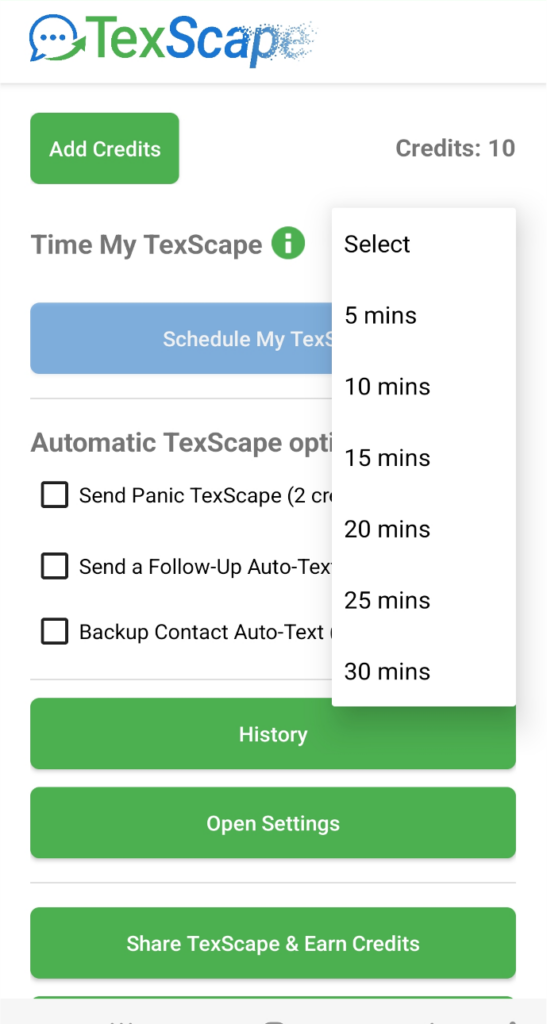
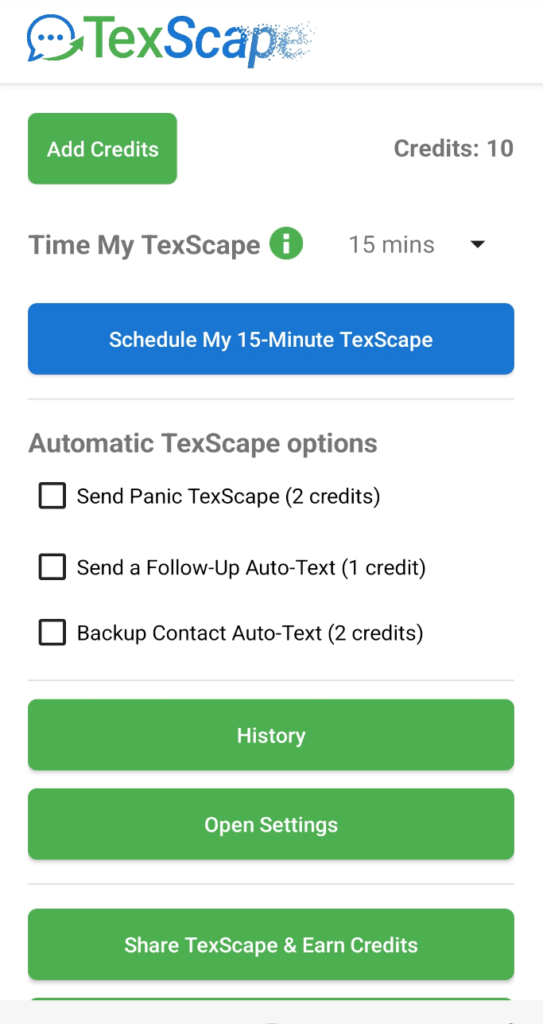
More ways to trigger a text: Either way you choose above, you can also turn on a Follow-Up Auto-Text (a second message sent about 45 seconds later, which can say something different and more urgent) and/or a Backup Contact Auto-Text (sends your backup contact a message at the same time).
Backup contact alerts (optional)
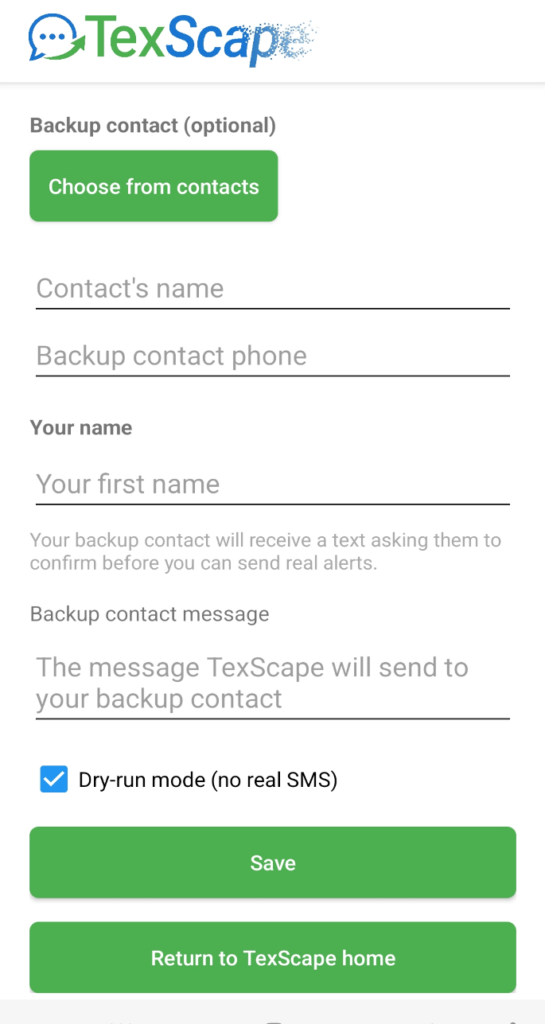
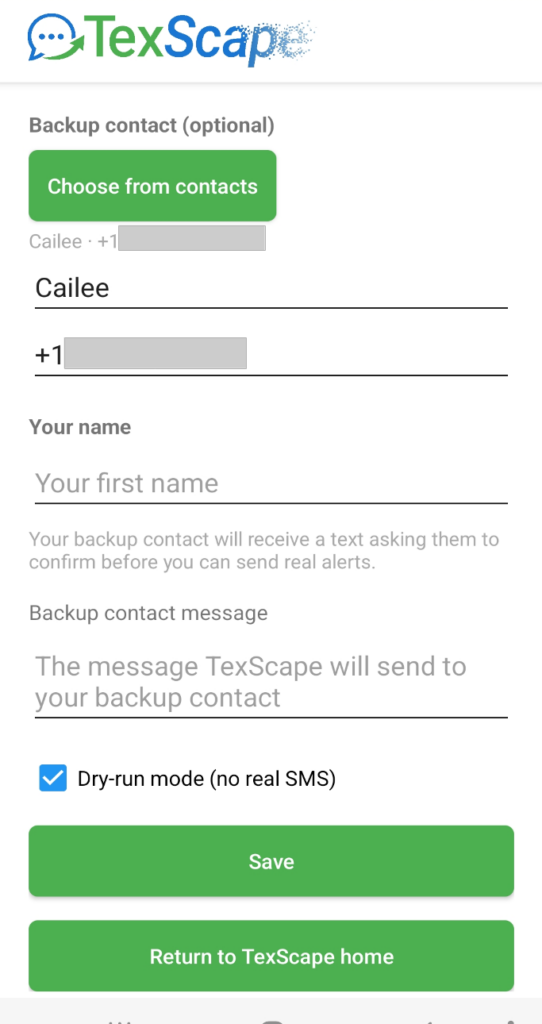
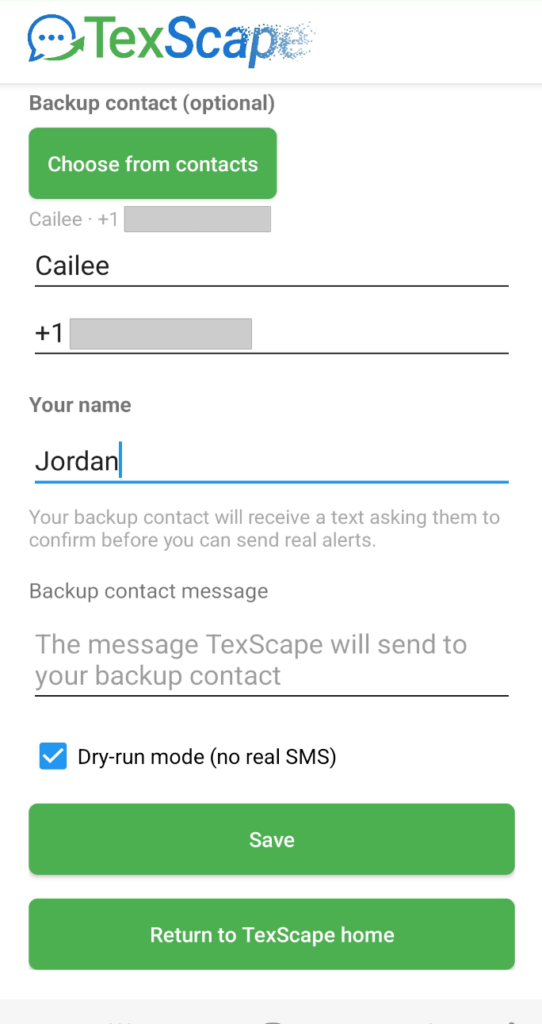
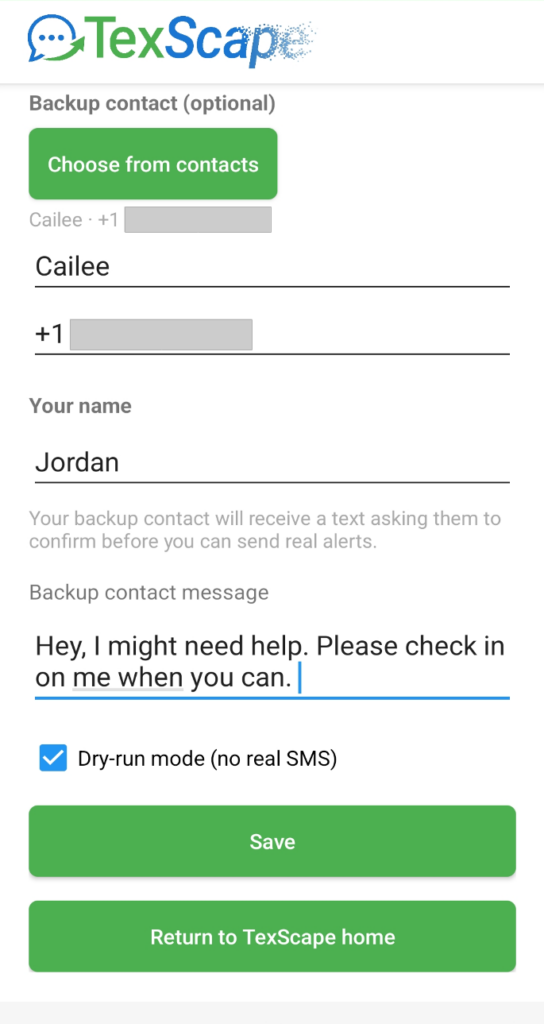
If you’d like an extra layer of support, you can add a backup contact in Settings. You must have that person’s prior knowledge and permission before adding them.
Choose the contact from your phone’s contacts, then add your own first name — this lets TexScape include your name in the confirmation text sent to them. Your backup contact will receive a text asking them to confirm before you can send them real alerts. You can also write a custom message for them to receive if you choose to send one.
Availability
Launching on Google Play and the iOS App Store.
Contact us to become a Beta tester and get early access.
Consent & Program Details
By entering your phone number in the TexScape app and pressing “Schedule My TexScape” or long-pressing “Send Panic TexScape,” you authorize CoachWare AI to send SMS to your number with the content you provided. No recurring messages are sent unless you repeat one of these actions. Optional Follow-Up and Backup Contact Auto-Text messages are sent only as part of that same triggering action, never independently.
If you add a backup contact, that person will receive a one-time confirmation text before any alerts are sent to them. By adding a contact, you confirm you have their permission to do so. No messages are sent to a backup contact until they’ve confirmed.
Opt-out/Help
Standard carrier keywords are supported:
STOP — You’ll receive a confirmation and won’t receive further messages unless you trigger them again.
HELP — You’ll receive support/contact information.
Message frequency varies based on your use of the app.Message and data rates may apply.
Support
Support available via email. Response within one business day.
Email: Info@CoachWareAI.com
Address:
30 N Gould St, Ste R
Sheridan, WY 82801
Privacy & Terms
We process your phone number and message text solely to deliver the one-time SMS you request. See our Privacy Policy and Terms of Service.